29 Oct
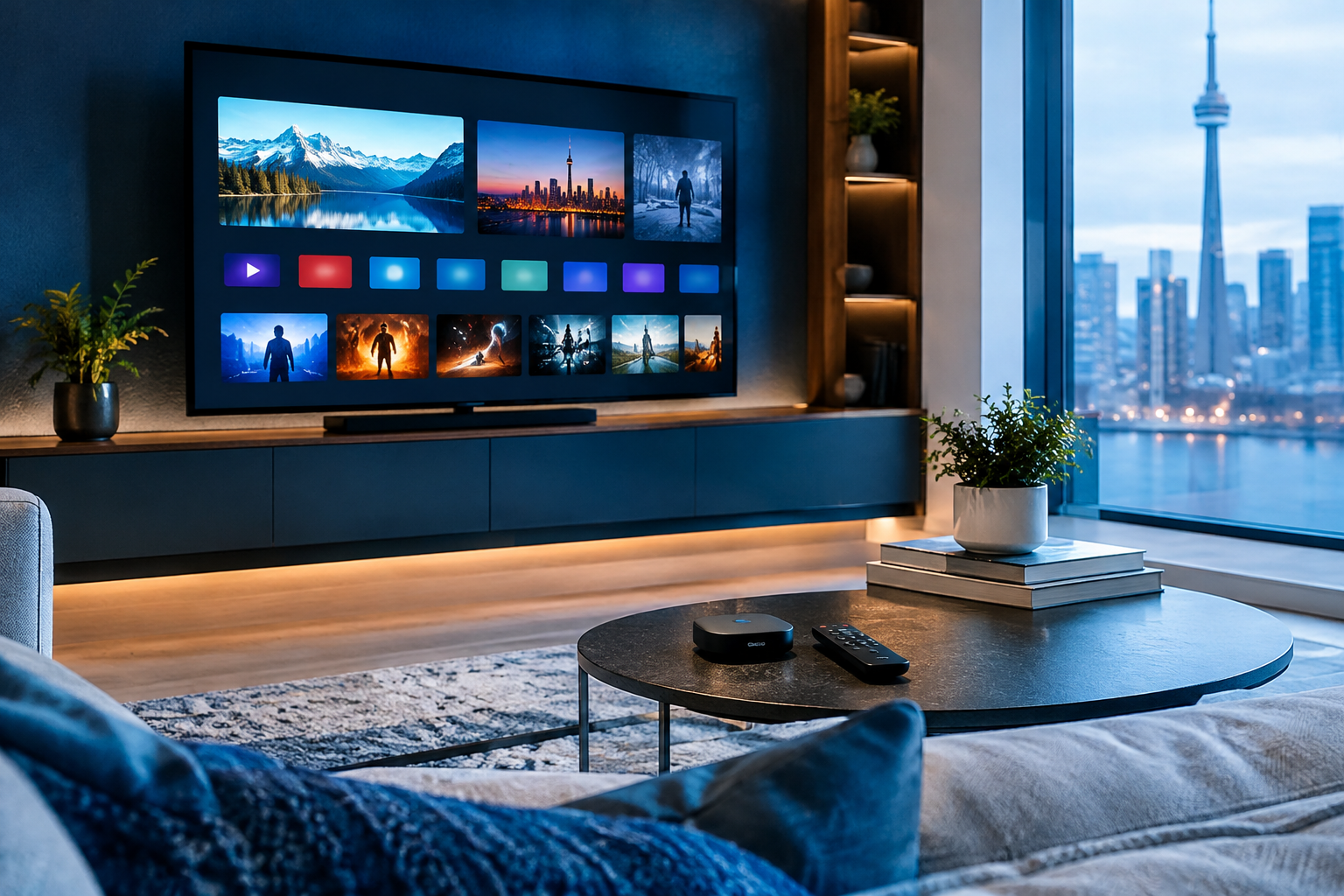
Google TV vs Roku IPTV Canada is a practical question for anyone trying to watch TV in a simpler, more flexible way without turning the living room into a tech project.
At Smartele IPTV Canada, a lot of viewers ask whether they should buy a Google TV device, choose a Roku TV, or keep using the smart TV they already own.
The good news is that both platforms can be easy to use for everyday streaming, but they work very differently when IPTV apps, setup options, remotes, updates, and Canadian viewing habits are involved.
If you are comparing devices and want a Canadian-friendly starting point, Smartele IPTV Canada offers IPTV Canada guidance for viewers who want a calmer way to understand their options.
This guide explains the differences in plain language, so you can decide which platform is more likely to fit your home, your comfort level, and the way you actually watch television.
Quick Answer: Google TV vs Roku IPTV Canada
For IPTV in Canada, Google TV is usually the more flexible platform because it supports a wider range of IPTV player apps through the Google Play Store, works well with Fire TV Stick-style habits, and offers more control for viewers who like to choose their own app. Roku TV is often simpler and cleaner for mainstream streaming, but it can be more limited when you need a specific IPTV player or advanced setup option.
- Choose Google TV if app choice matters most.
- Choose Roku TV if you want a very simple menu.
- Choose Google TV if you may need external player apps.
- Choose Roku TV if your household mainly uses major streaming apps.
- Check app compatibility first before buying either one.
- Avoid assuming every IPTV app works on every smart TV.
That quick answer covers the main difference, but the details matter. A TV can look great in the store and still be frustrating at home if the IPTV app you need is not available, if the remote is awkward, or if the operating system hides the settings you use most. In Canada, many households also mix live news, sports, local channels, specialty services, and streaming apps. That makes platform choice more important than it first appears.
Think of Google TV as the more open and app-friendly option, and Roku TV as the more guided and simplified option. Neither is automatically perfect for everyone. The best choice depends on whether you value flexibility, simplicity, app availability, voice search, or a familiar remote experience.
Why Platform Choice Matters for IPTV in Canada
IPTV is not just about the internet connection. The device connected to your television plays a huge role in how smooth the experience feels day to day. The app has to open quickly, the remote has to make sense, the menu has to be easy to navigate, and the platform has to support the type of player your provider recommends.
Canadian viewers often care about a practical mix of programming. One household may want local news from CBC, CTV, Global, or Citytv through legitimate sources, while another may spend weekends watching sports through services connected to TSN, Sportsnet, RDS, or TVA Sports. Others simply want an easier way to organize live TV-style apps, on-demand services, and family entertainment in one place. Smartele IPTV Canada is not affiliated with those broadcasters, and availability should always be verified directly with the relevant service or provider, but these examples show why Canadian viewing habits are not one-size-fits-all.
The device platform affects several everyday things:
- Which IPTV player apps you can install.
- How easily you can enter portal or playlist details.
- Whether your remote has useful playback buttons.
- How quickly channels or menus load.
- How often apps receive updates.
- How comfortable less technical family members feel.
If you are upgrading from cable, you may be used to a set-top box where the provider controls everything. IPTV and streaming devices are different. You often have more choice, but that also means compatibility matters. Before buying a TV because it is on sale, it is worth asking whether the platform supports the apps and setup style you need.
This is also why smart TV compatibility has become such a common topic. If you are comparing other TV operating systems, you may find it helpful to read about selecting IPTV apps for smart TVs in Canada, especially if you are choosing between built-in smart TV apps and an external streaming device.
How Google TV Works Differently for IPTV
Google TV is the newer interface that sits on top of Android TV. In everyday terms, it is Google’s TV platform found on many smart TVs and streaming devices. You will see it on brands such as Sony, TCL, Hisense, and Chromecast with Google TV devices. It is designed around recommendations, search, apps, and the Google Play Store.
For IPTV users in Canada, the biggest advantage of Google TV is flexibility. Many IPTV player apps are designed for Android-based platforms, which means they may appear in the Google Play Store or have versions intended for Android TV. This does not mean every app is available, approved, or suitable for every service, but the range is generally broader than what Roku offers.
Google TV also tends to feel familiar to people who use Android phones, Google accounts, YouTube, Google Assistant, or Chromecast. Voice search can be useful when looking for apps, changing settings, or finding movies across services. Chromecast support is also handy when you want to send supported video or music from a phone to the TV.
Common Google TV strengths include:
- A larger selection of TV-oriented apps.
- Better support for many IPTV player styles.
- Voice search with Google Assistant.
- Chromecast built into many devices.
- More settings for display and audio control.
- Good compatibility with external streaming boxes.
The trade-off is that Google TV can feel busier. The home screen may show recommendations, rows of content, apps, and promoted suggestions. For some viewers, that is helpful. For others, especially seniors or anyone who wants one simple row of apps, it may feel cluttered. The good news is that in most cases you can rearrange apps, simplify the home screen, and place your favourite IPTV player in an easy-to-find position.
Google TV is often the better choice if you are not sure which IPTV player you will need in the future. It gives you more room to adapt. If your service recommends a specific app, there is a better chance that Google TV will support it than Roku, although you should still verify before buying.
How Roku TV Works Differently for IPTV
Roku TV is known for simplicity. Many Canadian viewers like it because the home screen is clear, the remote is small, and the menu does not feel overly complicated. Roku devices and Roku-powered TVs focus on channels, which are essentially apps in Roku’s ecosystem. Major streaming services are easy to find, and many households appreciate the straightforward layout.
For general streaming, Roku can be excellent. If your viewing is mostly Netflix, Prime Video, YouTube, Disney+, CBC Gem, or other mainstream apps, the platform can feel clean and reliable. The challenge appears when you need a specific IPTV player app. Roku does not work like Android-based platforms. Its app ecosystem is more controlled, and many IPTV apps available on Google TV are not available in the same way on Roku.
Roku’s strengths include:
- A very simple home screen.
- Easy app launching for mainstream services.
- Affordable Roku TVs and streaming players.
- Lightweight remotes that are easy to learn.
- Good performance for common streaming apps.
- Less visual clutter than some smart TV platforms.
However, IPTV users should be careful. Roku does not offer the same level of app flexibility as Google TV. It also does not support sideloading in the same everyday way that Android-based devices do. Private or non-certified channel practices have changed over time, and users should not rely on older advice found in outdated forum posts or videos. If a guide tells you to use a method that no longer exists, that is a red flag.
Roku may still work well if the app you need is officially available and supported for your setup. But if your IPTV provider recommends an Android TV player, a specific portal-style app, or a player that is only available in the Google Play Store, Roku may not be the right fit. Always confirm the app first, not after the TV is mounted on the wall.
Google TV vs Roku IPTV Canada: App Support and Setup
App support is the heart of the Google TV vs Roku IPTV Canada decision. Picture quality, remote design, and price all matter, but if the app you need is not available, the rest becomes less important. This is especially true for viewers who already have an IPTV provider and have been told to use a specific player.
On Google TV, you usually open the Google Play Store, search for the IPTV player, install it, and sign in or enter the details provided by your service. Depending on the app, those details may include a username and password, a server URL, an M3U playlist, or a portal address. The exact process depends on the service and player, so it is best to follow provider instructions carefully.
On Roku TV, you usually search the Roku Channel Store. If the app is there and works in Canada, setup can be simple. If it is not there, your options become limited. Roku is not designed around open app installation in the way Google TV is. That is not necessarily bad for all viewers; it is part of why Roku feels simple. But it is a clear limitation for IPTV users who need flexibility.
Before choosing, ask these questions:
- Does my IPTV provider recommend a specific app?
- Is that app available on Google TV?
- Is that app available on Roku in Canada?
- Does the app support my login method?
- Can I update the app easily?
- Will other people in the home find it easy to use?
If you are choosing a television rather than a separate streaming device, also think about long-term updates. Smart TVs can remain physically fine for many years, but app support may change. External devices are often easier to replace than a whole TV. That is one reason many IPTV viewers prefer a Google TV device, Chromecast with Google TV, or Fire TV Stick-style device even when their television already has smart features.
For viewers comparing other built-in smart TV systems, the same issue applies. Samsung uses Tizen, which has its own app store and compatibility rules. You can learn more in this IPTV Samsung Tizen Canada setup guide if you are deciding between Samsung, Google TV, and Roku TV models.
Remote, Search, and Everyday Ease of Use
The remote may seem like a small detail, but it affects the whole experience. A great IPTV setup should be easy enough that everyone in the household can turn on the TV, find the app, change channels or categories, adjust volume, and get back to the home screen without asking for help.
Google TV remotes vary by device and TV brand. Many include a Google Assistant button, app shortcut buttons, a circular navigation pad, volume controls, and sometimes input controls. Voice search can be helpful, especially if typing long app names or email addresses is annoying. Some Google TV devices also let you use your phone as a remote through Google TV or related apps, which can make text entry easier.
Roku remotes are usually simpler. They often have a directional pad, home button, back button, playback controls, and shortcut buttons. Some include voice search, depending on the model. Many people like Roku because the remote does not feel crowded. It is often easy for children, parents, and grandparents to learn.
For IPTV use, consider these remote details:
- Is there a reliable back button?
- Can you quickly return to the channel list?
- Are playback controls easy to reach?
- Can you type login details without frustration?
- Does the remote control TV volume and power?
- Is voice search useful in your household?
Google TV has the edge if you value voice search, text entry, and deeper control. Roku has the edge if you want a calm, minimal remote. Neither is universally better. A household with one tech-confident viewer may prefer Google TV. A household where everyone wants the fewest possible buttons may prefer Roku.
One practical tip is to test the remote in store if possible. Do not just look at the screen. Hold the remote, press the buttons, and imagine using it every night. If the buttons feel awkward or the layout is confusing, that small annoyance can become a daily problem.
Performance, Updates, and Picture Quality Differences
Many viewers assume picture quality depends only on the TV screen. The screen is important, but streaming performance also depends on the processor, memory, app quality, Wi-Fi strength, internet plan, and how well the platform handles video playback. A budget Roku TV and a premium Google TV may behave very differently, and the reverse can also be true.
Google TV performance depends heavily on the hardware. A higher-quality Google TV device or television usually feels faster than a low-cost model with limited memory. Apps open more quickly, menus scroll more smoothly, and switching between services is less frustrating. Cheaper Google TV models can feel slow if the home screen is busy or too many apps are installed.
Roku is often praised for feeling light and responsive, especially on basic tasks. Because the interface is simpler, it can run well on modest hardware. However, IPTV app performance still depends on whether the app is well supported on Roku and whether it is designed for that platform. If the app choice is limited, the platform’s speed may not solve your main problem.
For picture quality, check the device and TV specifications:
- Does it support 4K if your TV is 4K?
- Does it support HDR formats you care about?
- Is Wi-Fi strong enough for your room?
- Is there an Ethernet option or adapter?
- Are app updates still frequent?
- Does the device overheat or lag over time?
In Canada, Wi-Fi layout can be a bigger issue than people expect. Basements, condos, older homes, thick walls, and crowded apartment networks can all affect streaming. If your router is far from the TV, even the best platform may buffer. In most cases, improving Wi-Fi placement, using a mesh system, or choosing Ethernet where possible does more than changing from Roku to Google TV.
Updates also matter. Google TV apps usually update through the Google Play Store. Roku channels update through Roku’s system. Both can be convenient, but app availability and long-term support differ. If IPTV is a major part of your viewing, choose a platform where your preferred player is actively maintained.
Canadian Viewing Habits: Sports, News, and Family TV
Canadian households often watch TV differently from households in the United States or other markets. Local news, hockey, Canadian football, international soccer, multicultural programming, French-language content, kids’ shows, and weekend movies may all share the same screen. That mix makes platform choice more personal.
For English-language households, viewers may use legitimate apps or services connected with CBC, CTV, Global, Citytv, TSN, Sportsnet, or other providers. In Quebec and bilingual homes, RDS, TVA Sports, Télé-Québec, Noovo, and French-language streaming services may matter. Some households also use antenna TV, cable logins, sports subscriptions, or on-demand platforms alongside IPTV. Smartele IPTV Canada is not claiming affiliation with these broadcasters, and viewers should always verify availability and rights with the appropriate provider.
Google TV can be helpful when your household uses many different apps because search and recommendations may bring content together. If you use YouTube, Google services, casting, and multiple streaming subscriptions, the platform can feel connected. It also tends to support a wider selection of niche apps, which can matter for multilingual families or viewers who need specific players.
Roku can be better when your household wants a less distracting TV experience. If the main goal is to open a few favourite apps and avoid complicated menus, Roku’s simple grid can be comforting. It is especially appealing for a spare bedroom, cottage, kitchen TV, or a household member who does not want many settings.
Think about who uses the TV most:
- Sports fans who switch often between apps.
- Parents setting up kids’ profiles or restrictions.
- Seniors who want a simple app grid.
- Bilingual viewers needing French and English apps.
- Newcomers to Canada seeking international options.
- Cord-cutters replacing a traditional cable bill.
The best platform is the one that fits the people in the room. A feature-rich platform is only useful if your household will actually use those features. A simple platform is only convenient if it supports the apps you need.
Google TV vs Roku TV vs Other Smart TV Options
It is also worth comparing Google TV and Roku TV with other smart TV platforms. Many Canadians already own Samsung Tizen or LG webOS TVs. These systems can work well for general streaming, but IPTV player availability varies by app store, TV model, region, and year. That is why built-in smart TV apps should be checked carefully before relying on them.
Samsung Tizen is common in Canada and has a polished interface, but it is not Android-based. App support is different from Google TV. LG webOS is also popular and easy to use, but it has its own app ecosystem. If you are deciding whether to use an LG television’s built-in apps or add an external device, this guide to LG webOS IPTV compatible players in Canada is a useful next read.
Compared with these platforms, Google TV usually offers more IPTV player flexibility. Roku usually offers a simpler mainstream streaming experience. Samsung and LG sit somewhere else entirely: excellent TVs in many cases, but with app ecosystems that may or may not match your IPTV needs.
Here is a practical comparison:
- Google TV: flexible, app-rich, more settings.
- Roku TV: simple, clean, more controlled.
- Samsung Tizen: polished, brand-specific app store.
- LG webOS: friendly interface, separate app ecosystem.
- Fire TV Stick: external device option many Canadians know.
- Apple TV: premium feel, app support varies by player.
If your current smart TV does not support the IPTV player you need, you may not have to replace the whole television. In many cases, adding an external streaming device is easier and cheaper. A Google TV device or Fire TV Stick can often extend the life of a perfectly good TV. This is especially helpful when the screen still looks great but the built-in app store feels limited.
The main lesson is simple: buy the TV for picture quality and size, but choose the streaming platform for app compatibility. Sometimes those are the same device. Sometimes the smarter choice is a separate box or stick.
Common Mistakes to Avoid
When people compare Google TV vs Roku IPTV Canada options, the biggest problems usually come from assumptions. A lot of viewers assume all smart TVs do the same thing, all app stores carry the same apps, or any device with Wi-Fi will work perfectly for IPTV. Unfortunately, that is not how streaming platforms work.
Avoid these common mistakes:
- Buying first and checking apps later. Always confirm your IPTV player before purchasing.
- Assuming Roku works like Android. Roku has a more controlled app system.
- Ignoring Wi-Fi strength. Buffering is often a network issue, not a TV issue.
- Choosing only by price. Very cheap devices may feel slow over time.
- Following outdated setup videos. Roku and app policies change.
- Forgetting family usability. The best setup should be easy for everyone.
Another mistake is confusing the TV brand with the operating system. A TCL TV might run Google TV, Roku TV, or another platform depending on the model. A Hisense TV might also come with different software depending on the series. Always check the exact model, not just the brand name.
Viewers also sometimes overlook storage and memory. On Google TV devices, installing many apps can slow things down, especially on lower-end hardware. Removing unused apps, restarting the device occasionally, and keeping software updated can help. On Roku, the system is simpler, but you still want to avoid loading channels you never use.
Finally, be cautious with big promises. No platform can guarantee every channel, every event, or perfect playback in every home. Internet quality, app maintenance, provider setup, device age, and home networking all matter. A trustworthy setup process should explain limitations clearly rather than promise magic.
Which One Should Canadian IPTV Viewers Choose?
If IPTV flexibility is your top priority, Google TV is usually the safer choice. It offers broader app support, more player options, better integration with Android-style services, and more room to adapt if your setup changes later. For many Canadian cord-cutters, that flexibility is worth the slightly busier interface.
Choose Google TV if:
- Your provider recommends an Android TV app.
- You want more IPTV player choices.
- You use Google services or Chromecast.
- You are comfortable adjusting settings.
- You may change apps or services later.
- You want an external device to upgrade an older TV.
Roku TV is a good choice if simplicity matters more than flexibility. If the apps you need are available, and your household values a clean grid and easy remote, Roku can be very pleasant. It is especially good for people who mainly use mainstream streaming apps and only need limited IPTV functionality.
Choose Roku TV if:
- You want the simplest possible home screen.
- Your needed apps are confirmed available.
- You dislike busy recommendations.
- You prefer a small, easy remote.
- The TV is for a bedroom, cottage, or secondary room.
- Your household is not interested in advanced setup options.
If you are still unsure, start with the app. Write down the IPTV player or login method you need. Check whether it is available on Google TV and Roku in Canada. Then consider the remote, home screen, speed, price, and update history. This order prevents most buying regrets.
For many homes, the practical winner is a Google TV streaming device connected to whichever television has the best screen. That gives you flexibility without forcing you to replace a TV. For other homes, a Roku TV is perfectly reasonable when the app requirements are simple and verified. The right answer is not about brand loyalty; it is about fit.
Final Thoughts
Google TV vs Roku IPTV Canada comes down to flexibility versus simplicity. Google TV generally gives Canadian viewers more IPTV app options and more control, while Roku TV offers a clean, easy experience when the apps you need are officially available. The good news is that you do not have to guess. Check app compatibility, think about who will use the remote, consider your Wi-Fi, and choose the platform that matches your real viewing habits. If you want friendly guidance before setting up your next streaming device, Smartele IPTV Canada is here to help you make a confident, comfortable choice.
FAQ
Is Google TV better than Roku for IPTV in Canada?
In most cases, Google TV is better for IPTV flexibility because it supports a wider range of player apps through the Google Play Store. Roku can still work well if your specific app is available and supported, but you should confirm compatibility before buying.
Can I install any IPTV app on Roku TV?
No. Roku uses its own channel store and does not work like Android-based platforms. Many IPTV apps available on Google TV may not be available on Roku, so it is important to check the exact app you need in Canada.
Do I need a new TV for IPTV?
Not necessarily. If your current TV has an HDMI port and still has good picture quality, you may be able to add an external device such as a Google TV device or Fire TV Stick. This is often easier than replacing the whole television.
Will Google TV or Roku stop buffering?
A better device can help with speed and app performance, but buffering is often caused by Wi-Fi strength, router placement, internet congestion, or the app itself. In many homes, improving the network makes the biggest difference.
What should I check before choosing Google TV or Roku TV?
Check whether your preferred IPTV player is available, whether it supports your login method, how easy the remote is to use, whether the device receives updates, and whether your home internet connection is strong near the TV.